How to Measure SEO Success Using Google Analytics and Search Console
Measuring SEO success isn’t about vanity metrics or guessing which tactics worked—it’s about tracking the right signals and turning data into decisions. Whether you’re a business owner, an in-house marketer, or working with an SEO agency, mastering Google Analytics and Google Search Console is essential for reliable SEO reporting. This guide shows you exactly which SEO metrics matter, how to configure and combine data from both tools, and how to build reports that prove ROI and drive action.

Source: www.youtube.com
You’ll learn Learn, How to Measure SEO Success
– Which SEO metrics to track in Google Analytics and Search Console
-
-
- How to set up and configure both tools for accurate measurement
- Step-by-step methods to combine insights from both platforms
- How to create practical SEO reports for stakeholders
- Actionable optimization workflows and real-world examples
-
Introduction: Why Google Analytics and Google Search Console together to Measure SEO Success?
Google Analytics and Google Search Console serve complementary roles. Google Analytics is focused on on-site behaviour, conversions, and traffic sources; Search Console reveals how your site appears in Google Search—impressions, clicks, average position, and indexing issues. Used together, they provide a complete picture of organic performance: Search Console tells you “how people find you in Google” while Analytics shows “what people do after they land on your site.”
This article is written for business owners and marketing teams who want a practical, repeatable approach to SEO reporting. Whether you manage SEO internally or work with an agency, you’ll gain step-by-step processes, key metrics to prioritise, report templates, and optimisation workflows you can use today.
-
-
-
- Source:
-
-
Core SEO metrics to track
Start by focusing on a handful of high-impact metrics you can reliably measure and act upon. Group metrics into Acquisition, Behaviour, Technical, and Conversion categories.

Acquisition metrics (how visitors find your site)
– Organic sessions / users — overall organic traffic volume
-
-
- New vs returning organic users — audience growth and retention
- Top landing pages by organic sessions — which pages attract search visits
- Queries & pages (Search Console) — actual search queries and pages they served
-
Behaviour metrics (what visitors do on your site)
– Bounce rate / engagement rate — initial engagement quality
-
-
- Average session duration — time spent on site
- Pages per session — depth of visit
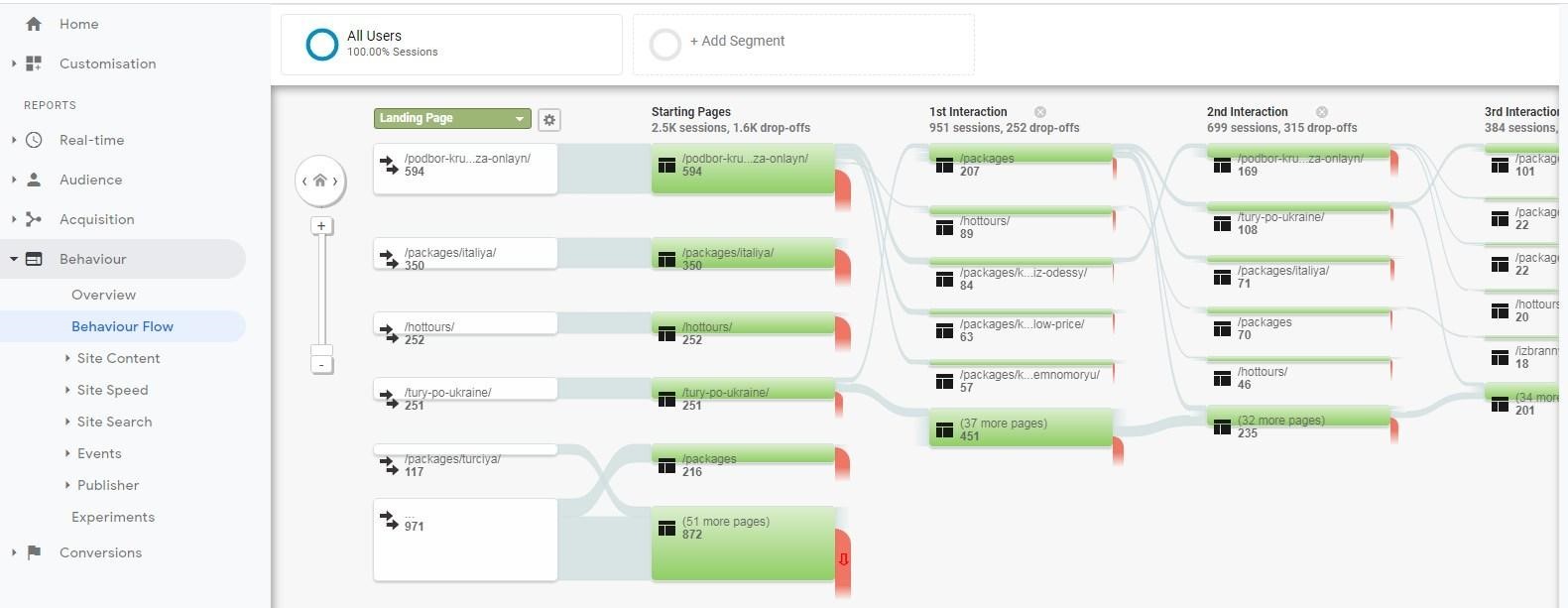
- Top landing pages + behaviour flows — content performance and paths
-
Conversion metrics (business outcomes)
– Goal completions / conversion rate (GA4: Conversions) — contact form submissions, transactions, leads
- Assisted conversions and multi-channel funnels — organic’s role in the conversion path
- Revenue / eCommerce metrics — direct monetary value of organic traffic
Technical & visibility metrics
– Impressions, clicks, and average position (Search Console)
- Index coverage and sitemap status (Search Console)
- Core Web Vitals / page speed metrics (Search Console & PageSpeed Insights)
- Mobile usability and structured data errors (Search Console)
Setting up Google Analytics and Search Console for accurate SEO reporting
Accurate data starts with proper setup. Below are the steps and settings to ensure clean, actionable data.
Google Analytics: GA4 configuration checklist
1. Install GA4 tag via Google Tag Manager (GTM) or site header. Use a single central method (GTM preferred).
- Link Google Ads and Search Console to GA4 for cross-product insights.
- Set up conversion events (form submissions, phone clicks, purchases). Use GA4 recommended events and define key conversions in admin settings.
- Create internal traffic filters — exclude office IPs and staging environments to avoid skewed data.
- Enable cross-domain tracking if needed (e.g., booking platform or payment gateway on another domain).
- Configure enhanced measurement (scrolls, outbound clicks, file downloads, site search).
- Create custom audience segments to analyse organic visitors separately (new vs returning organic users).
Google Search Console: configuration checklist
1. Verify your site (prefer domain property for full coverage) using DNS verification for the top-level domain.
- Submit your sitemap.xml and monitor index coverage errors.
- Set preferred domain settings via canonicalization checks and ensure the site uses HTTPS consistently.
- Enable email notifications for critical issues (indexing, spam, security).
- Connect Search Console with Google Analytics (property linking) to view Search Console metrics inside Analytics reports.
Common pitfalls to avoid
– Mixing UA (Universal Analytics) data with GA4 — migrate fully to GA4 if UA is no longer collecting data.
- Not tagging internal links or campaign URLs consistently (use UTM parameters correctly).
- Missing goal/event tracking which makes conversions invisible to your reports.
- Ignoring mobile vs desktop differences — segment by device to surface meaningful problems.
How to use Search Console data effectively
Search Console provides raw visibility and technical insights. Use it to prioritise optimisation opportunities and monitor search health.
Key Search Console reports to monitor
– Performance report — tracks clicks, impressions, CTR and average position. Filter by query, page, country, device and date range.
- Coverage report — shows indexing issues, errors, and valid pages.
- Sitemaps report — confirms sitemap submission and indexed URLs count.
- Core Web Vitals and Page Experience — UX signals that can affect rankings.
- Rich Results / Enhancements — structured data errors and opportunities (FAQ, product, recipe markup).
Using the Performance report to find quick wins
The Performance report is one of the richest sources for SEO opportunity discovery:
- Sort queries by impressions but low CTR — often title/meta tweaks can boost clicks.
- Identify queries with high impressions and average position 8–20 — these are prime candidates for content improvement to push into the top 3 results.
- Evaluate pages with high impressions but low average position — content depth, backlinks or technical improvements may be needed.
- Segment by device to catch mobile-specific visibility or CTR problems.
Practical use cases
– CTR optimisation: For product pages with many impressions and a low CTR, rewrite title tags and meta descriptions with clear value propositions and structured markup to improve visibility.
- Indexing recovery: Use the Coverage report to find pages with “Excluded” reasons (e.g., crawled — currently not indexed). Investigate canonical tags, duplicate content, and ensure the page is internally linked.
- New content monitoring: After publishing, watch impressions and position over 30–90 days to gauge how Google treats new pages and iterate accordingly.
How to use Google Analytics data effectively
Google Analytics shows how SEO traffic behaves and contributes to business goals. The right setup lets you evaluate the value of organic search beyond clicks.
Essential GA4 reports and customisations
– Acquisition > User acquisition and Traffic acquisition — filter by session/source/medium = organic / google to isolate organic traffic.
- Engagement > Pages and screens — identify top landing pages, bounce/engagement metrics, and path behaviour.
- Monetisation (if eCommerce) — revenue attributable to organic traffic and product performance.
- Conversions — review events marked as conversions and attribute them to organic traffic.
- Explorations — build custom funnel, segment overlap, or path analysis to answer complex questions.
Attribution and assisted conversions
Organic search often plays a role earlier in the buyer journey. Use the Conversion paths and Model comparison reports to understand how organic contributes across touchpoints. Consider using multi-touch attribution models to capture organic’s assisted value rather than relying only on last-click attribution.
Practical GA4 insights and examples
– Landing page optimisation: Compare conversion rates and engagement for top organic landing pages. Pages with high traffic but low conversions may need clearer CTAs or improved content relevance.
- Content gap analysis: Use organic landing pages report to identify pages that bring traffic but don’t address user intent fully—create or update content to target supporting topics.
- Channel health: Monitor organic traffic trends by week/month and correlate drops with algorithm updates, content changes, or technical issues.
Combining Search Console and Google Analytics data
Individually both tools are powerful; together they create insights you can act on. Here’s a workflow for combining data to prioritise SEO tasks and show ROI.
Step 1 — Identify high-potential queries and pages in Search Console
1. Open Search Console Performance report.
- Filter by “Queries” and sort by impressions. Export queries with high impressions and positions between 8–20.
Step 2 — Map queries to landing pages and review GA behaviour
1. Switch Performance to “Pages” and identify the landing pages serving those queries.
- In GA4, pull engagement and conversion metrics for those landing pages. Check engagement rate, average engagement time, and conversion rate.
Step 3 — Prioritise actions using a simple impact-effort matrix
– High impact, low effort: Rewriting title tags/meta, adding FAQ schema, internal linking.
- High impact, high effort: Rewriting long-form content, building backlinks, page redesigns.
- Low impact, low effort: Minor on-page tweaks, image alt text fixes.
- Low impact, high effort: Replacing whole site templates when not needed immediately.
Step 4 — Implement changes and monitor results
1. Make changes in content, on-page SEO, or technical fixes.
- Use Search Console’s URL Inspection to request indexing when appropriate.
- Monitor impressions, clicks, and average position over a 4–12 week window and track behaviour/conversions in GA4.
Building practical SEO reports
Reporting should demonstrate progress, explain causation, and outline next steps. Stakeholders want clarity and action, not raw data dumps.
Essential elements of an SEO report (weekly/monthly)
– Executive summary — 3–5 key highlights (wins, problems, next actions)
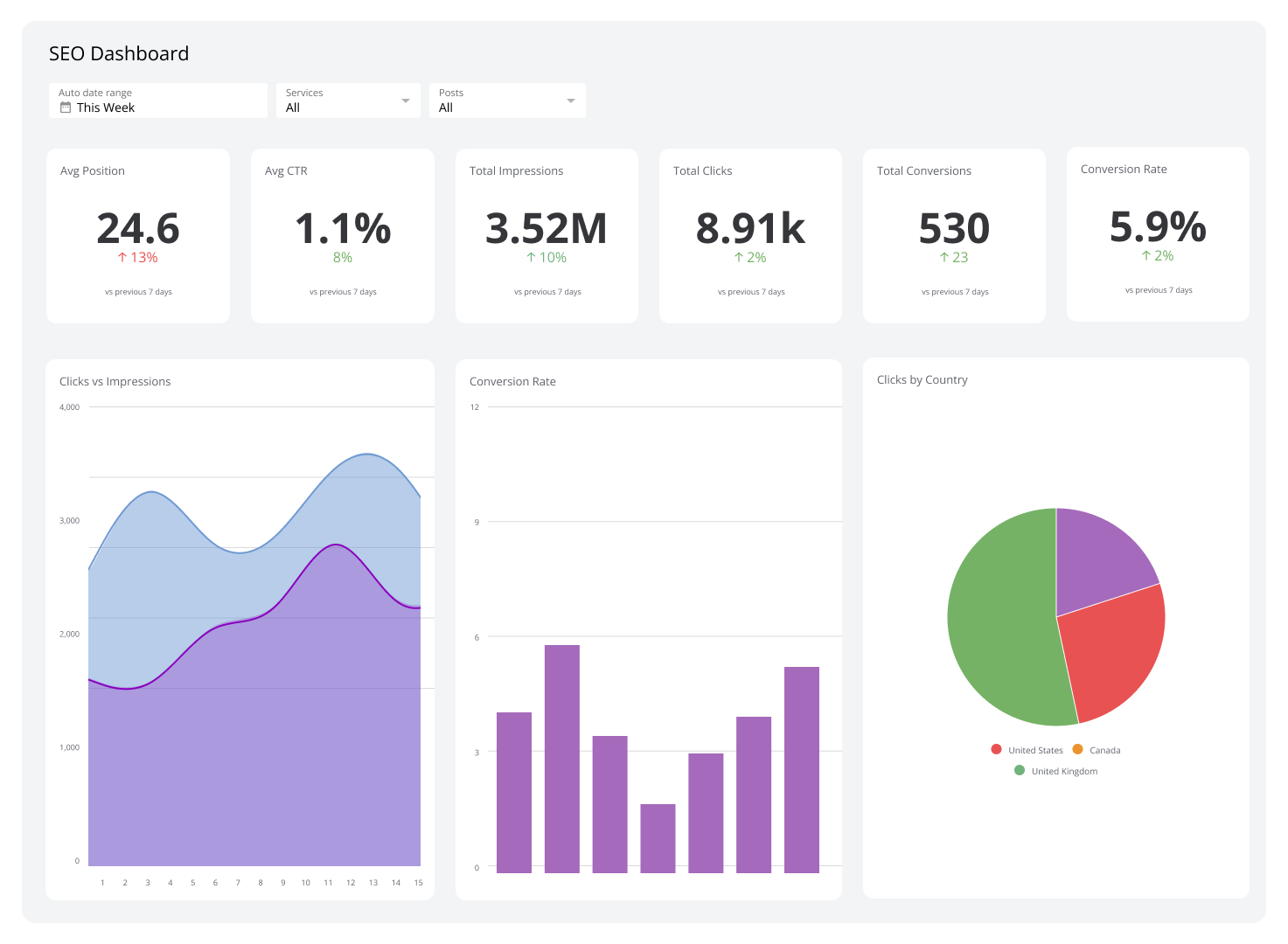
- Top-line metrics — organic users/sessions, organic conversions, revenue attributed to organic traffic
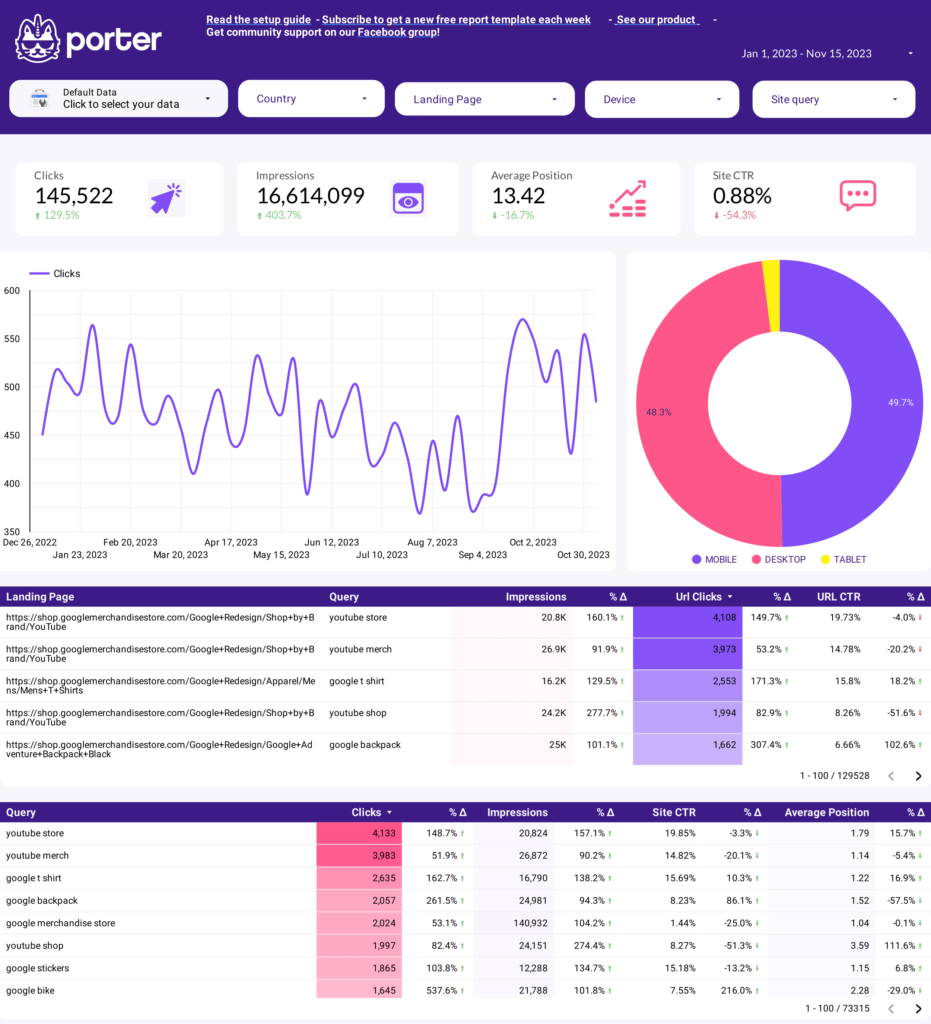
- Search Console snapshot — impressions, clicks, average CTR, top queries and pages
- Top landing pages — engagement and conversion performance
- Technical health — coverage issues, core web vitals summary, mobile usability
- Actions taken and results — list of implemented optimisations and their outcomes
- Priorities for the next period — tasks ranked by impact
Visuals, KPIs and storytelling
Use charts that show trends and annotations that explain changes (e.g., “title tags updated on 12 May”). Include snapshots comparing current period vs previous period and year-over-year to account for seasonality.
Report cadence and audience
– Weekly: Tactical updates for SEO teams (traffic trends, urgent errors)
- Monthly: Strategic performance and progress report for marketing teams and leadership
- Quarterly: ROI-focused review with long-term trends, backlink growth, and business impacts
Advanced techniques: Using data to drive SEO strategy
Once you’ve mastered the basics, scale your efforts with deeper analysis and automated reporting.
1. Content-prioritisation framework
– Combine Search Console impressions and GA conversions to compute a “Content Opportunity Score.”
- Formula example: Opportunity Score = (Impressions (1 – CTR)) (Avg. Position Weight) * Business Value Multiplier
- Rank pages by score and address top items first (title/meta updates, content expansions, internal linking).
2. Segment analysis for better targeting
– Segment organic traffic by device, geography, new vs returning, and landing page to find micro-audiences.
- Create personalised content and conversion paths for high-value segments (e.g., mobile users in a specific city searching for local services).
3. Automated dashboards and alerts
– Create Google Data Studio (Looker Studio) dashboards combining GA4 and Search Console for live reporting.
- Set alerts for sudden drops in organic traffic, spikes in errors, or indexation changes.
4. Testing and validation
Use A/B testing where possible for landing page treatments. For SEO-specific experiments (title/meta changes), monitor changes in impressions and CTR over a sufficiently long period and compare against control pages.
Real-world examples and case studies
Below are concise examples that show the process from data to action to outcome. These are typical scenarios an in-house team or agency might encounter.
Case study 1: Improving CTR for a key service page
– Situation: A service landing page had high impressions (20,000/mo) but low CTR (0.8%) and an average position of 6.
- Action: Updated title tag to include local modifier and value proposition, improved meta description with clear CTA, added FAQ schema to increase SERP real estate.
- Result: CTR rose to 2.4% within 8 weeks, clicks increased 150%, leading to a 35% uplift in organic leads attributed in GA4.
Case study 2: Recovering from indexing issues
– Situation: Several product pages showed “Crawled — currently not indexed” in Search Console after a CMS migration.
- Action: Fixed canonical tags, corrected robots.txt disallow rules, resubmitted sitemap, and requested indexing for priority pages.
- Result: Within 3 weeks, affected pages were indexed; organic impressions recovered and revenue from organic product pages returned to prior levels.
Practical checklist: Monthly SEO review
1. Compare organic users/sessions vs previous month and year-over-year.
- Review top 10 queries and pages in Search Console for CTR and average position shifts.
- Check index coverage for new errors and fix high-severity issues first.
- Audit top landing pages for conversion rate and engagement; prioritise updates for pages with traffic but low conversions.
- Review backlinks and referral traffic trends (use Search Console links report and a backlink tool).
- Update stakeholders with an executive summary and a ranked action list for the next month.
Tools and integrations that complement Analytics and Search Console To Measure SEO Success
To deepen insight and streamline workflows, consider these tools and how they integrate with GA and Search Console.
- Google Data Studio (Looker Studio): Build combined dashboards using Search Console and GA4 connectors.
- Screaming Frog: Site crawls to validate on-page SEO and technical issues discovered in Search Console.
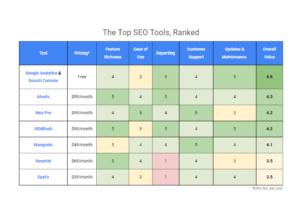
- Ahrefs / SEMrush / Moz: Keyword research, backlink analysis and competitive intelligence to supplement Search Console query data.
- GTMetrix / PageSpeed Insights: Page speed and Core Web Vitals performance monitoring.
- Zapier or custom scripts: Automated alerts and workflows (e.g., Slack alerts for coverage errors).
Internal and external link recommendations
Include these links to improve user value and SEO credibility.
- Internal link suggestions:
- Anchor: “SEO reporting” — link to your site’s internal page that explains SEO Reporting services or case studies.
- Anchor: “Conversion optimisation” — link to a related internal article on conversion rate optimisation.
- External authoritative links to include:
- Google Search Console Help — https://support.google.com/webmasters/
- Google Analytics Help (GA4) — https://support.google.com/analytics/